
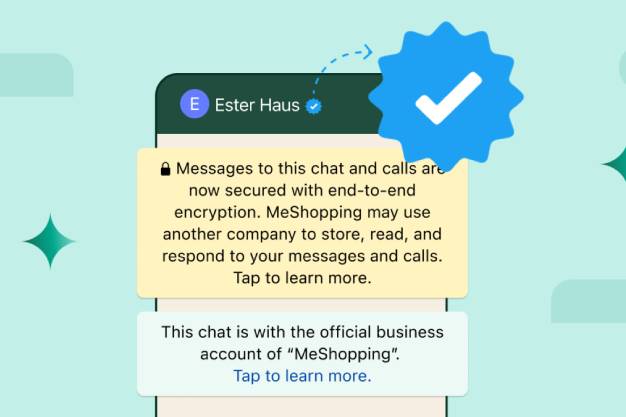
At Opus Technology, we help you build instant credibility and trust with your customers by
getting your WhatsApp Business account verified with the blue tick badge. In today’s digital- first world, authenticity is crucial, and the WhatsApp blue tick verification plays a major role in showing your audience that your brand is official and trustworthy.
With Meta now extending this verified badge to all WhatsApp Business App users, it’s the
perfect time for your business—big or small—to stand out in customer conversations.
The WhatsApp blue tick is a verified badge that appears next to your business name, confirming that your WhatsApp account is authentic and officially recognized by Meta. Previously known as the green tick, the blue tick is now a part of Meta’s cross-platform branding (similar to Instagram and Facebook).
Most users are wary of unknown numbers. A verified badge helps customers recognize your brand as legitimate, making them more likely to interact with your messages.
With a blue tick now being standard on Facebook, Instagram, and WhatsApp, your business gains a uniform, professional appearance.
Earlier, only API users could get verified. Now, even small businesses using the free WhatsApp Business App can enjoy the benefits of a blue tick.
Getting verified on WhatsApp is now easier than ever. Just follow these steps:
If you’re using the WhatsApp Business API, follow these steps:
To apply for the blue tick, your business must:
WhatsApp may reject applications due to invalid details or ineligible business categories. Here's how to avoid that:
At Opus Technology, we simplify the entire process for you—from documentation to application. Whether you're a local brand or an eCommerce store, we help you:
You can check the status in the WhatsApp Business App under the Meta Verified section.
Yes, Meta offers different monthly plans starting from ₹639 for WhatsApp blue tick verification.
You can reapply after 30 days. We can help you address the issues for a successful re-submission.
No action is needed. The green tick will automatically update to blue.
It helps increase brand trust, avoid impersonation, and adds a professional look to your profile.
Ready to boost your brand trust and build credibility on WhatsApp?
Contact Opus Technology today and get your WhatsApp Business Blue Tick with our end-to-end assistance. Let us handle the technical steps while you focus on growing your business.